Which TCL do you have?
| TCL model type | How to recognise it | Cast Browser |
|---|---|---|
| Google TV or Android TV | Home screen with a "For you" tab, and a Google Assistant button on the remote | Yes, over Google Cast |
| Roku TV | Purple home screen with a grid of channels, and a Roku remote | No |
| Fire TV | Fire TV home screen and an Alexa button on the remote | Only with a DLNA receiver app |
The TV's packaging and the Settings menu also name the system. In North America, many older TCL TVs are Roku TVs, and newer ranges are split between Roku and Google TV.
TCL Google TV or Android TV
- Connect the iPhone and the TCL TV to the same Wi-Fi network.
- Open Cast Browser and allow Local Network access.
- Open the page with your video and press play if the site needs it.
- Tap the Video List button in the address bar and choose the video.
- Choose the TCL TV in the Chromecast section of the device list.
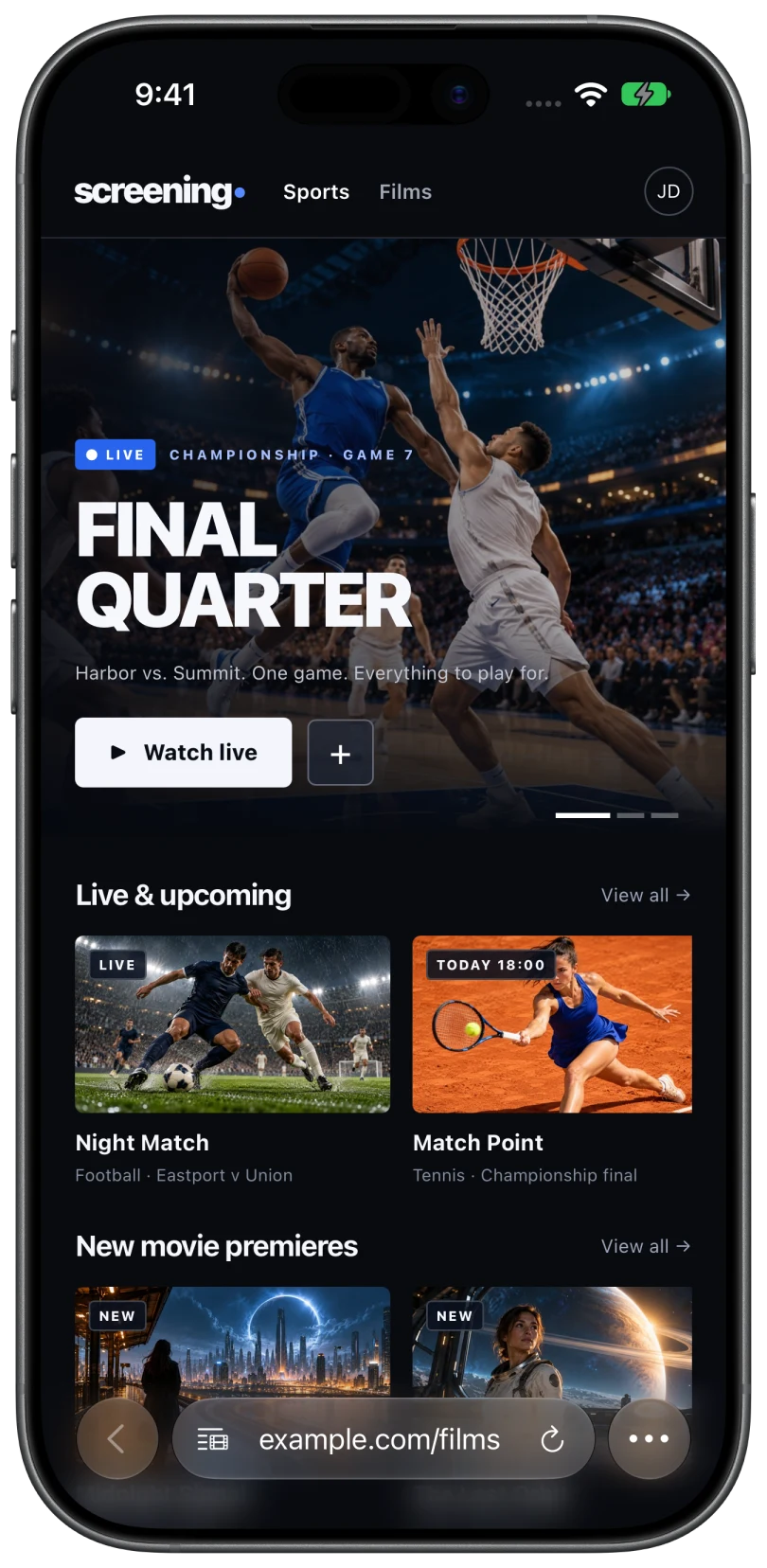
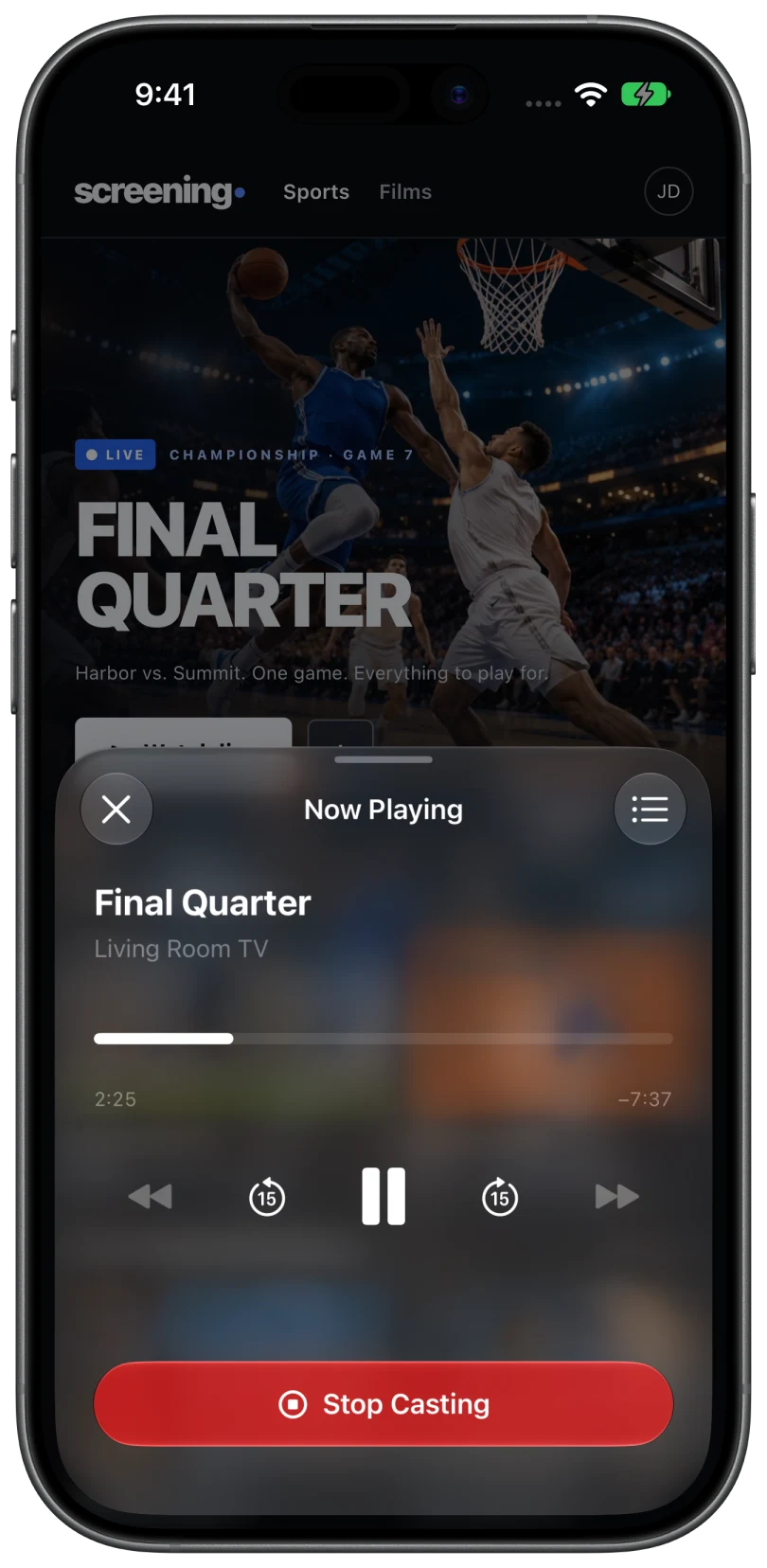
You get the queue, captions, and volume control from the phone, the same as with a Chromecast. If the TV does not appear, the Google Cast system app may be disabled. The Google TV guide shows where to check.
TCL Roku TV
A Roku TV does not appear in Cast Browser. You have two options:
- AirPlay from Safari. Many TCL Roku TVs support AirPlay. On the TV, look for Apple AirPlay and HomeKit in Settings. Then play the video in Safari and tap the AirPlay icon. This works when the website allows AirPlay.
- Add a Chromecast. Plug a Chromecast or Google TV streamer into a spare HDMI port, switch the TV to that input, and cast to it from Cast Browser.
The Roku guide covers both in detail.
TCL Fire TV
TCL sells Fire TV models in some countries. These behave like any Fire TV: there is no built-in Google Cast or DLNA receiver, so Cast Browser only sees the TV when a DLNA receiver app is running on it. See the Fire TV guide.
Common questions
Does a TCL TV have Chromecast built in?
TCL TVs that run Google TV or Android TV do. TCL Roku TVs do not.
Can I cast to a TCL Roku TV from an iPhone?
Not with Google Cast. Use AirPlay from Safari if the TV supports it and the website allows it, or plug in a Chromecast.
How do I find out which system my TCL TV runs?
Look at the home screen and the remote. A Google Assistant button means Google TV or Android TV. A purple home screen with a Roku remote means Roku TV.
Related
- Cast web videos from an iPhone to Google TV or Android TVGoogle Cast is built in. The steps, and what to check if the TV does not appear.
- Can you cast web videos from an iPhone to a Roku or Roku TV?Roku does not take Google Cast or DLNA. Here is what works instead: AirPlay, or a Chromecast alongside it.
- Which TVs can you cast web videos to from an iPhone?Every major TV brand and streaming device, and what each one supports.