How a Sony TV receives video
| Method | With Cast Browser | Notes |
|---|---|---|
| Google Cast | Yes | Built into Bravia models with Google TV or Android TV. The TV appears in the Chromecast section. |
| DLNA | Yes | Older Bravia models without Android TV, and some newer ones, also answer as DLNA receivers. |
| AirPlay | No | Built into many Bravia models from 2019 onward. Use it from Safari, not from Cast Browser. |
A Sony TV can appear twice in the device list, once under Chromecast and once under DLNA / UPnP. Pick the Chromecast entry. It handles more formats and gives you more controls.
Steps
- Connect the phone and the TV to the same Wi-Fi network.
- Open Cast Browser and allow Local Network access the first time it asks.
- Open the page with your video. If nothing is detected yet, press play in the site's player.
- Tap the Video List button in the address bar, then choose the video under Detected Videos.
- Choose the Sony TV in the Chromecast section of the Choose Device sheet.
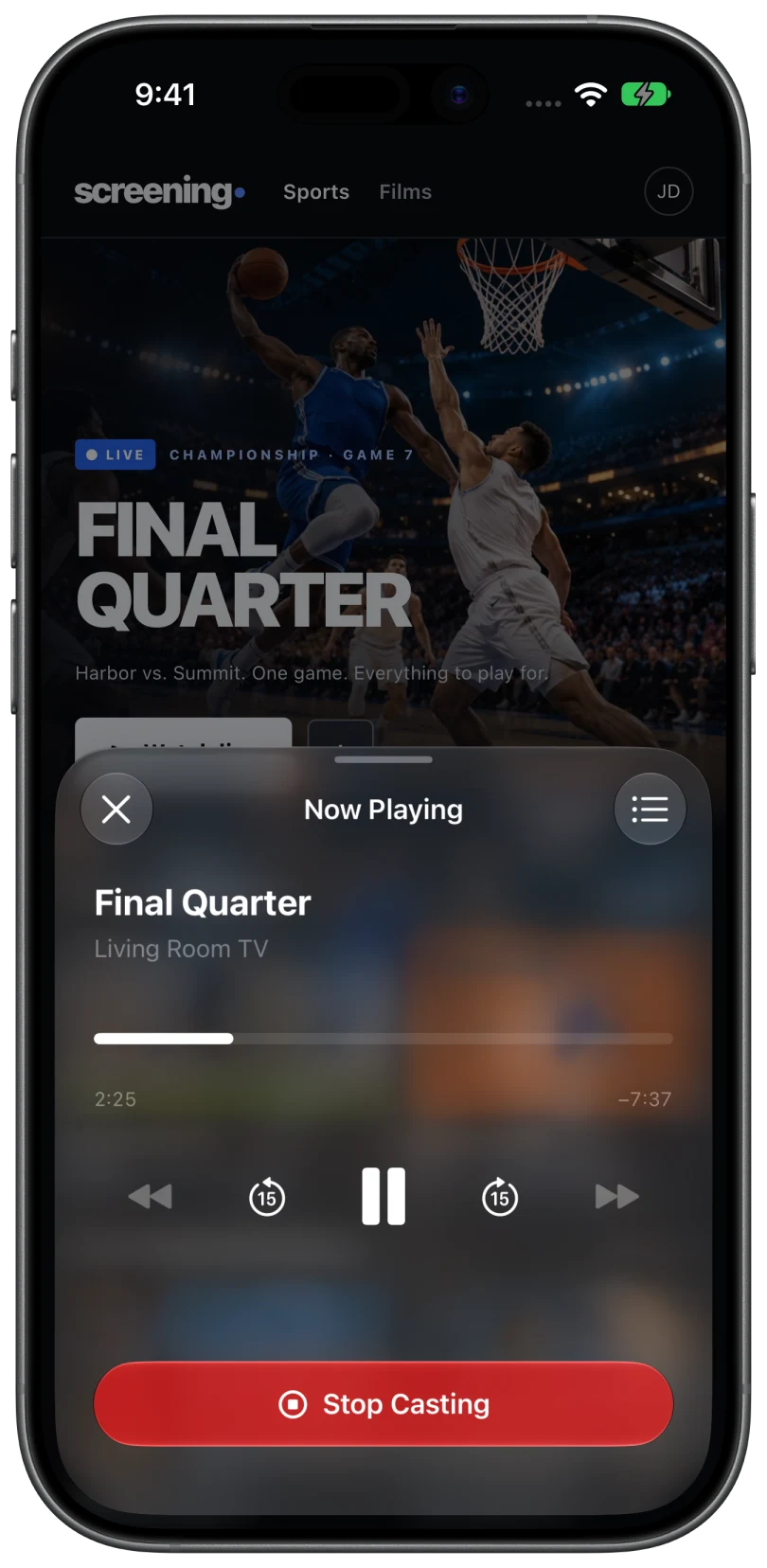
- Keep browsing. The video plays on the TV, and the Now Casting bar on the phone opens the controls.
What Google Cast adds on a Sony TV
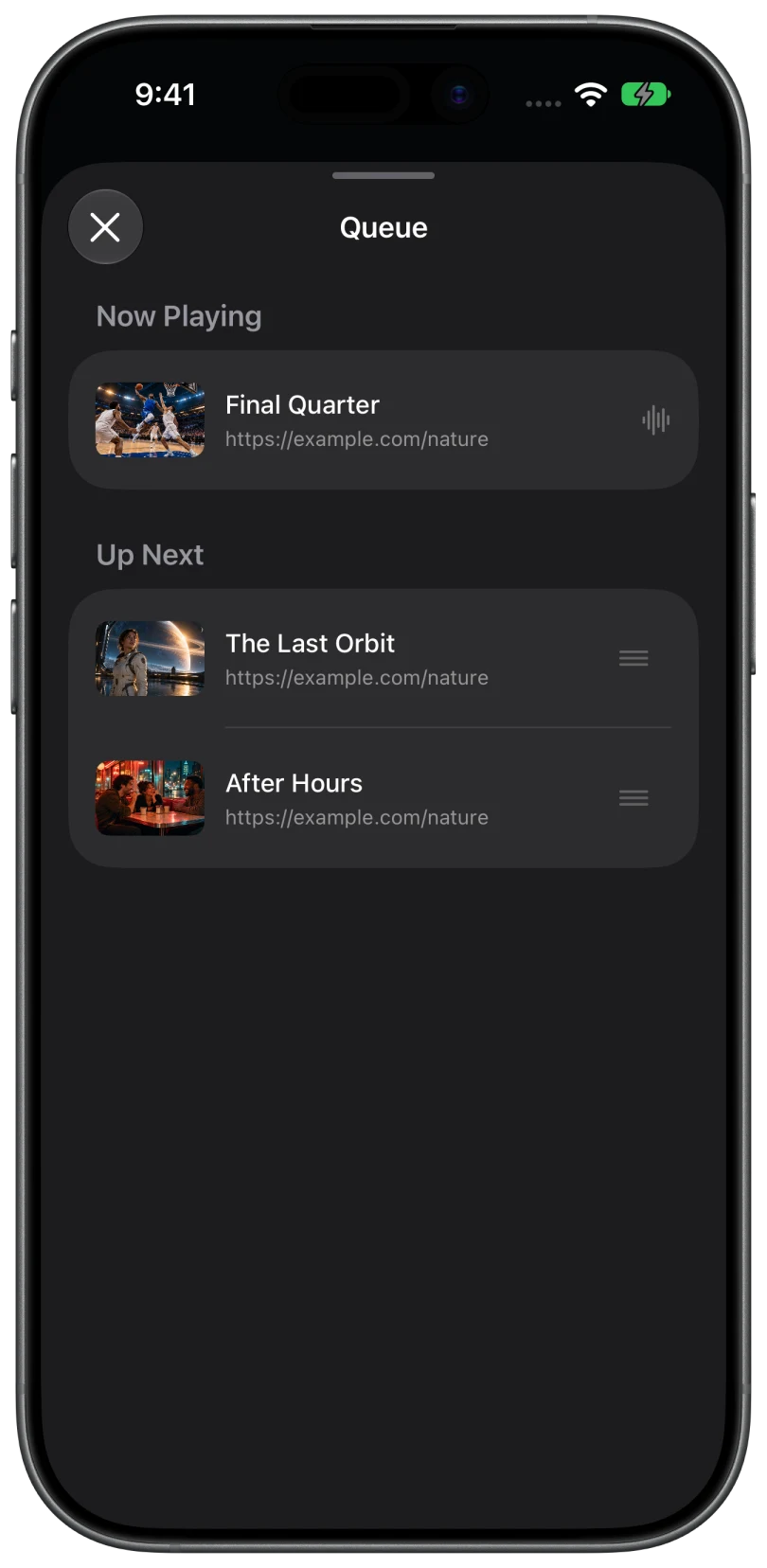
- A queue. When you pick another video during a session, the app asks whether to Play Now or Add to Queue. Open the queue from Now Playing to reorder it or use Play Next.
- Captions and audio tracks. When the video carries captions or more than one audio track, a picker appears in the playback controls.
- Lock Screen controls. Play and pause are available on the Lock Screen and in the Dynamic Island while you cast.
- The TV plays on its own. The TV fetches the stream directly in most cases, so you can lock the phone or switch apps.
If the Sony TV does not appear under Chromecast
Bravia TVs run Google Cast as a system app, and it can be switched off. On the TV, open Settings, then Apps, show system apps, and make sure the Google Cast receiver app (named Chromecast built-in or Google Cast Receiver, depending on the model) is enabled. Then tap Search Again in Cast Browser.
If that is not the cause, work through TV not showing up. The usual culprits are a guest Wi-Fi network, a VPN on the phone, or Local Network access being off for Cast Browser.
Common questions
Do I need a Chromecast for a Sony TV?
Not if the TV runs Google TV or Android TV. Google Cast is built in. An older Bravia without it can still receive video over DLNA, or you can plug in a Chromecast.
Can Safari cast to a Sony TV?
Safari cannot use Google Cast. It can use AirPlay on Bravia models that support it, when the website allows AirPlay. Why Safari will not cast to Chromecast explains the difference.
Does Cast Browser play protected streaming services?
No. Video protected with DRM cannot be sent this way, and Cast Browser does not bypass it. Use the service's own app on the TV.
Related
- Cast web videos from an iPhone to a ChromecastOpen the page, pick the detected video, choose your Chromecast. Works with Google TV and Android TV too.
- Safari will not cast to Chromecast: why, and what to use insteadSafari only speaks AirPlay, and a Chromecast only speaks Google Cast. How to bridge the two.
- TV or Chromecast not showing upThe device list says "No Chromecast devices found" or "No DLNA devices found".